Live lap counting, timing & standings
Choose a lap target or a timed race for up to six cars. Turn on Team Endurance for two drivers per car, with driver changes in the pits. Follow positions, gaps and best laps while the team total keeps counting.

NixScalextric ARC Race Control
Turn your Scalextric ARC Pro Digital track into race night. Follow up to six cars on one live leaderboard, share the drive in Team Endurance, or chase your best lap in Time trial. Add pit-stop strategy, optional Penalties and a well-timed Boost. NixScalextric ARC Race Control is independent software you can use in your browser or install as an app on supported devices.
Requires ARC Pro Digital and Bluetooth. Use Chrome or Edge on Windows/Mac, or Chrome on Android/Chromebook. App installation is optional. For iPhone/iPad, see Bluefy compatibility.
01Connect ARC Pro
Bluetooth, through your browser
02Choose your session
Lap or timed races, with optional Team Endurance, or Time trial
03Set your grid
Choose drivers or teams, power and Boost
04Add your race strategy
Optional Fuel, Tyres, Weather, Boost and Penalties
05Follow every lap
Live timing and driver analysis
Make every session count
Choose a lap target or a timed race for up to six cars. Turn on Team Endurance for two drivers per car, with driver changes in the pits. Follow positions, gaps and best laps while the team total keeps counting.
Drive as many laps as you like to improve your best time. Compare your latest lap with your previous best, with optional personal-best announcements. Ghost cars and fuel, tyre and weather simulations are off for this session.
Make the next decision count: stay out, pit for fresh tyres, or save your battery for a Boost. Choose your race simulations and set Boost separately for each driver—from 0% (off) to 30%.
Add Ghost cars to your race from the Grid tab. Set each Ghost’s speed and use the pre-race test controls to find a suitable setting for your track. Time trial and Team Endurance use human drivers only.
Start with the five-light sequence. Choose whether Yellow flag stops cars and pauses timing or limits power while timing continues. Add optional stop-and-go Penalties for false starts, fully worn tyres or repeated Yellow flag requests. Announcements help you follow the action while looking at the track.
Review race or session results and explore individual drivers’ laps. Team Endurance shows the team result alongside each driver’s laps, best time and race time.
Screenshots
Explore the leaderboard, Team Endurance, race strategy, penalties and configuration screens. These captures use illustrative demo data.
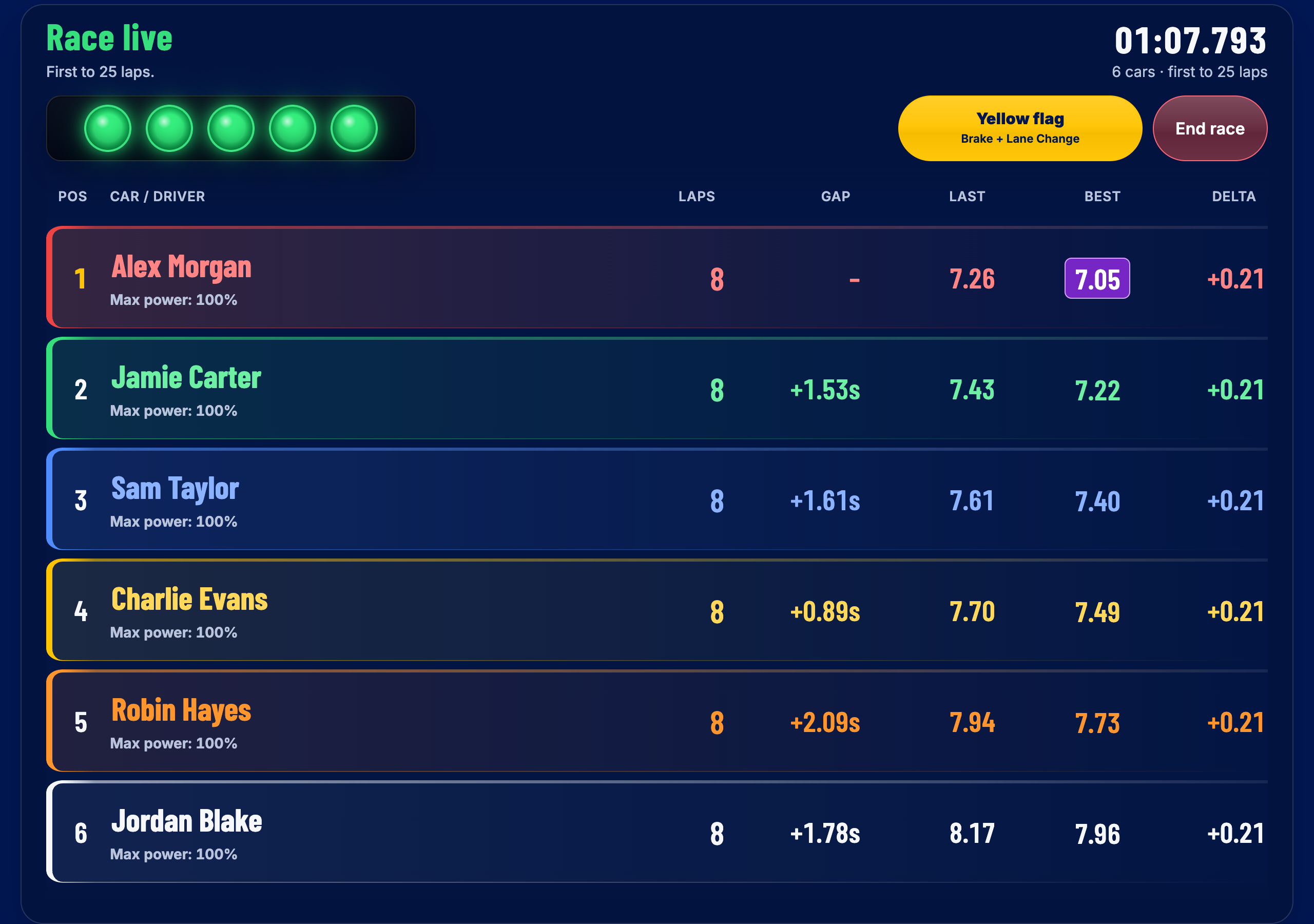
Live leaderboard
Follow your slot car race with colour-coded drivers, lap counts, positions and best times.
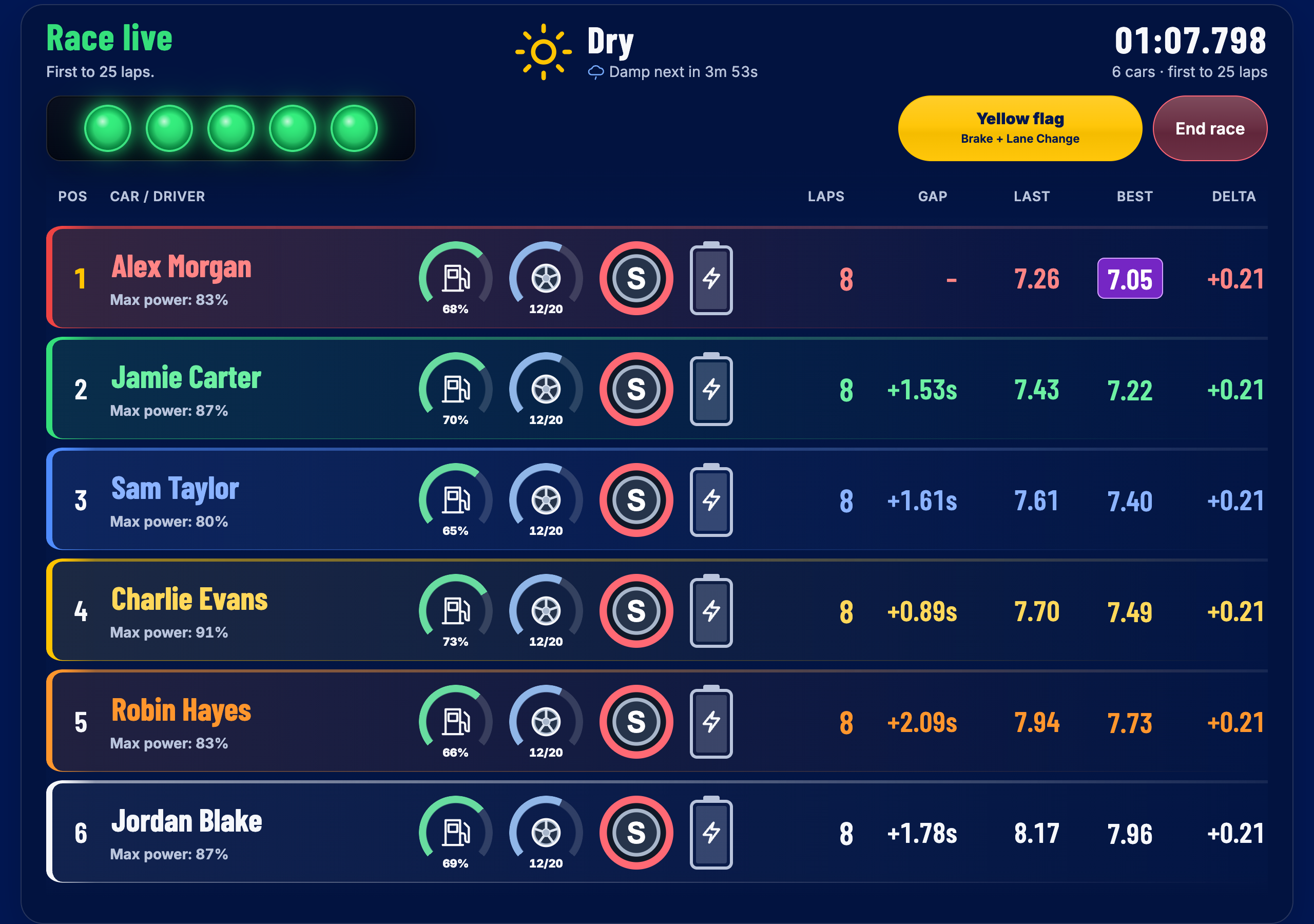
Race strategy
Read fuel levels, remaining tyre laps, weather tyre choice and Boost battery charge alongside the timing. Keep the decisions close to the race, all on one screen.
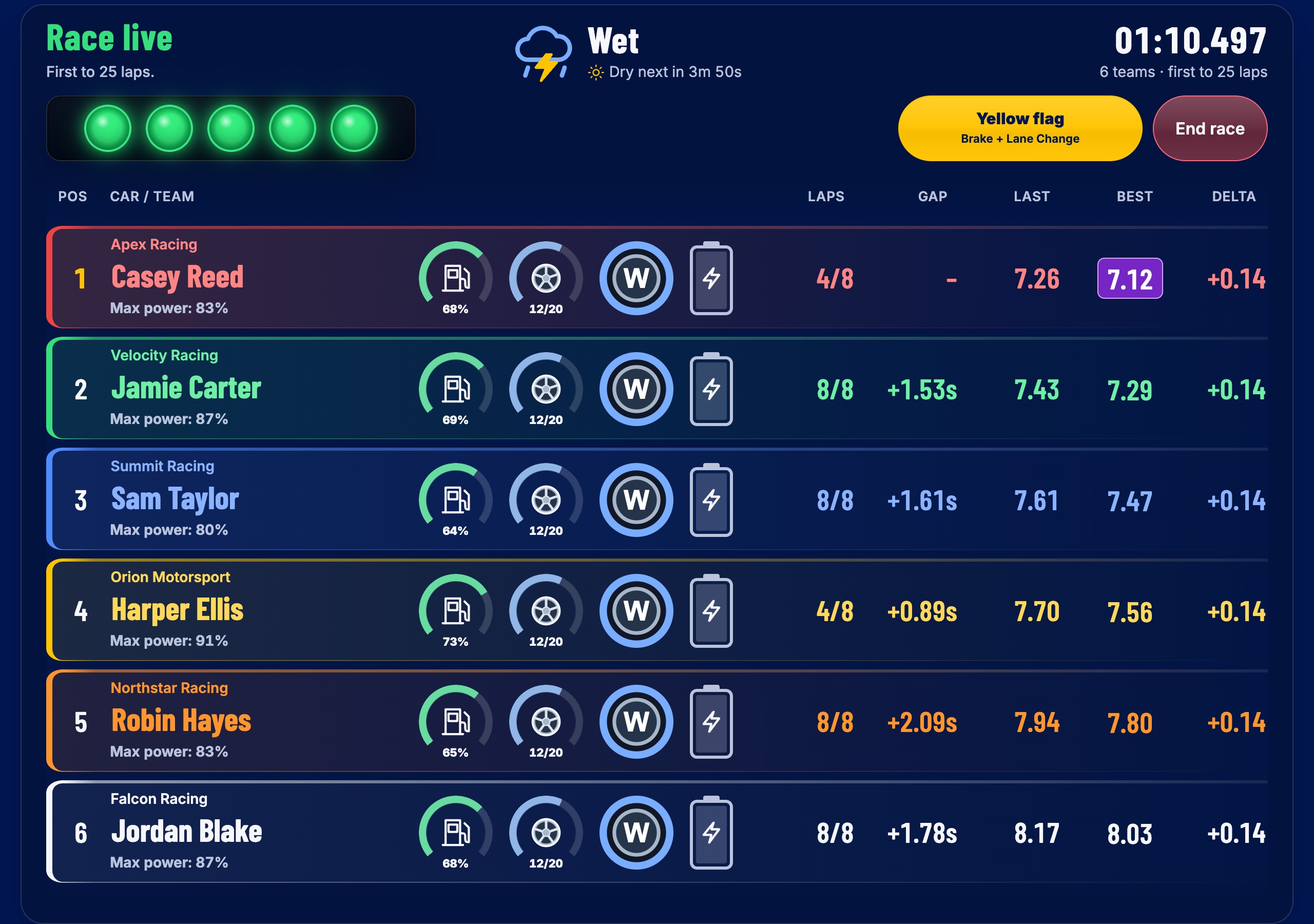
Team Endurance
Share each car in a lap or timed race. See the current driver’s laps alongside the team total, with fuel, tyres, weather and Boost available as usual.
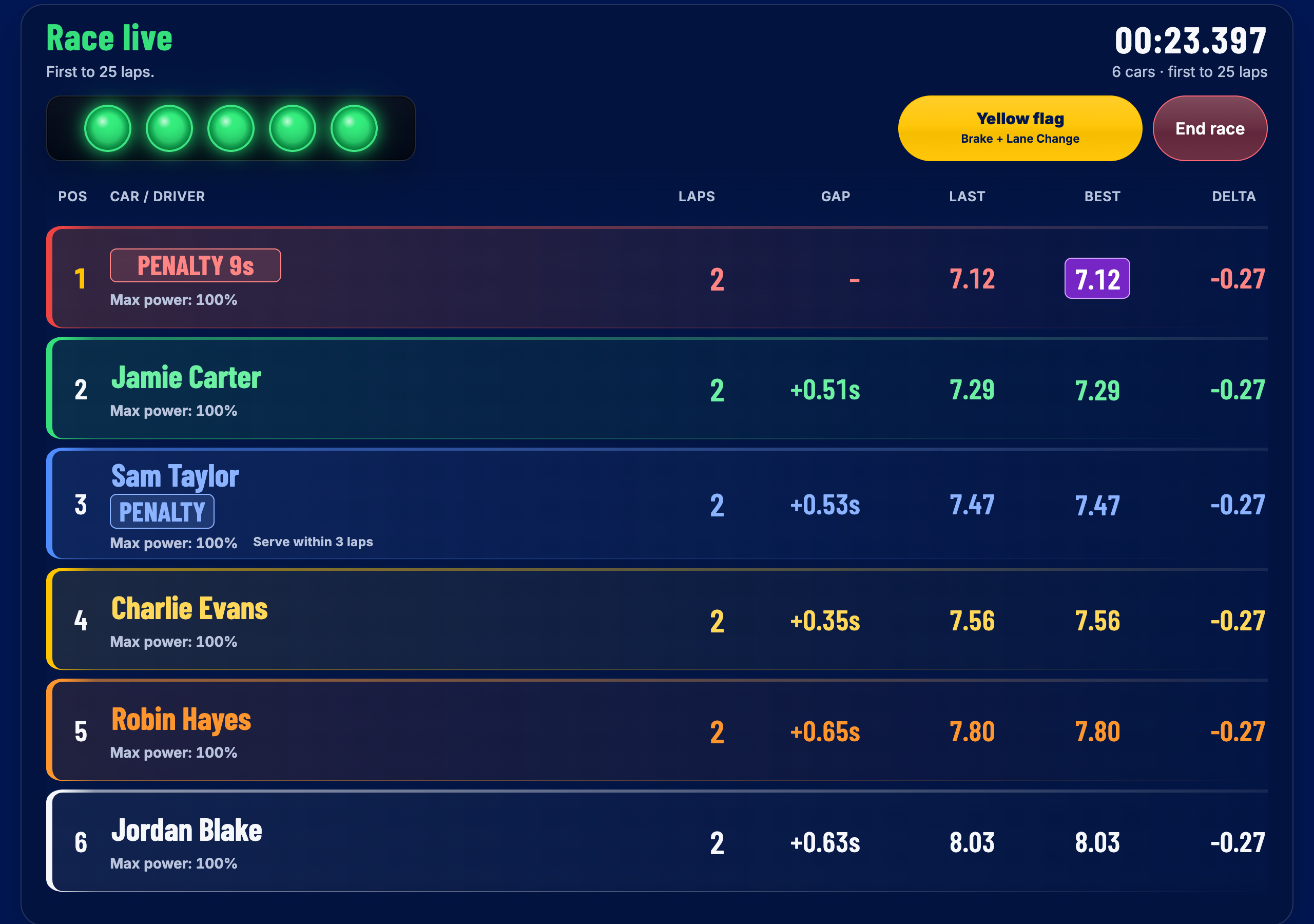
Race Penalties
See outstanding penalties and the stop-and-go countdown on the leaderboard. In solo and Team Endurance races, penalties come first: serve them before refuelling, changing tyres or changing drivers.
Set up your race
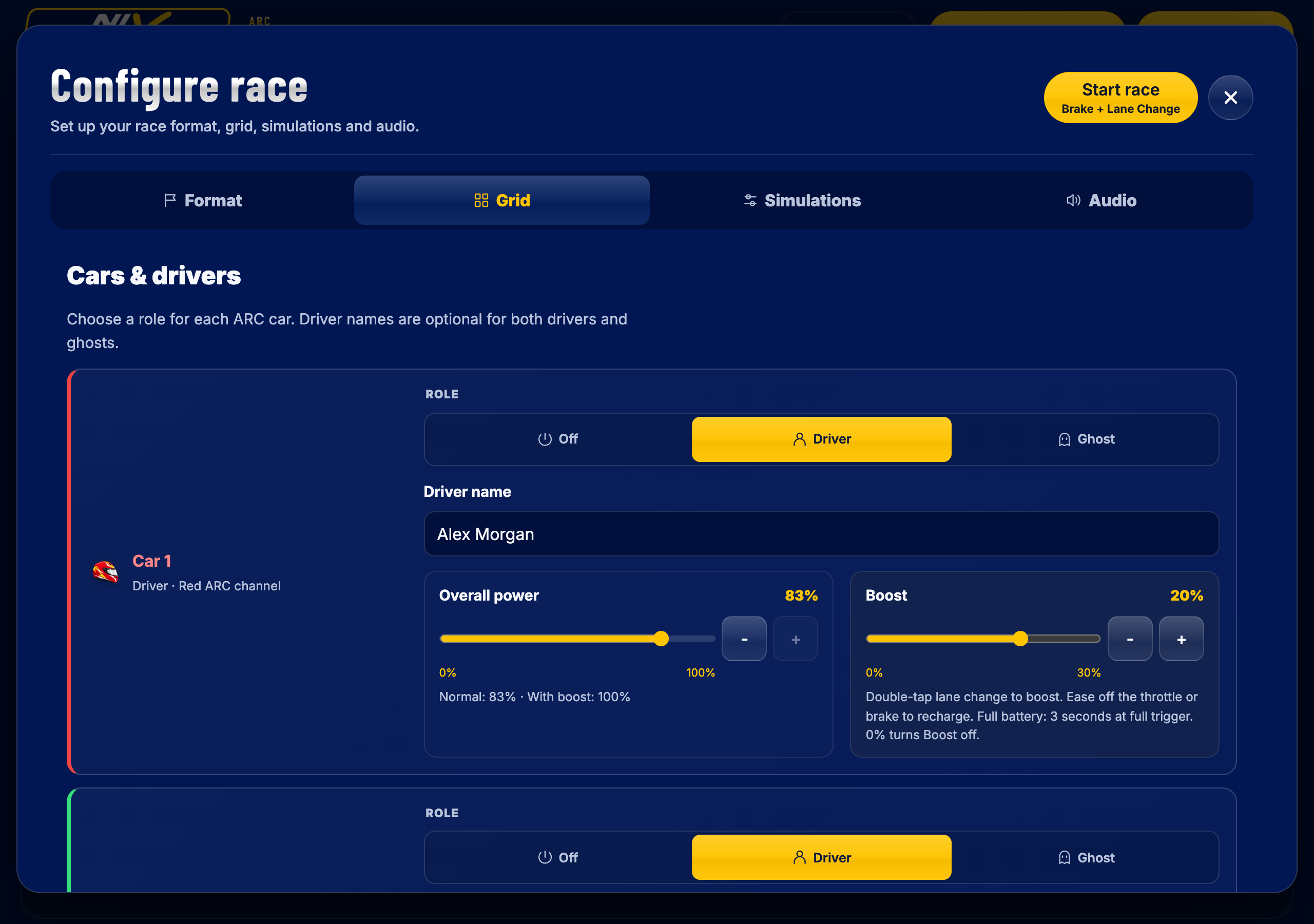
Set names, driver power and individual Boost amounts before the lights go out. Choose Driver, Ghost or Off for each car, with separate speed controls for Ghost cars. With Team Endurance enabled, select Team for each car to enter a team name and its two drivers.
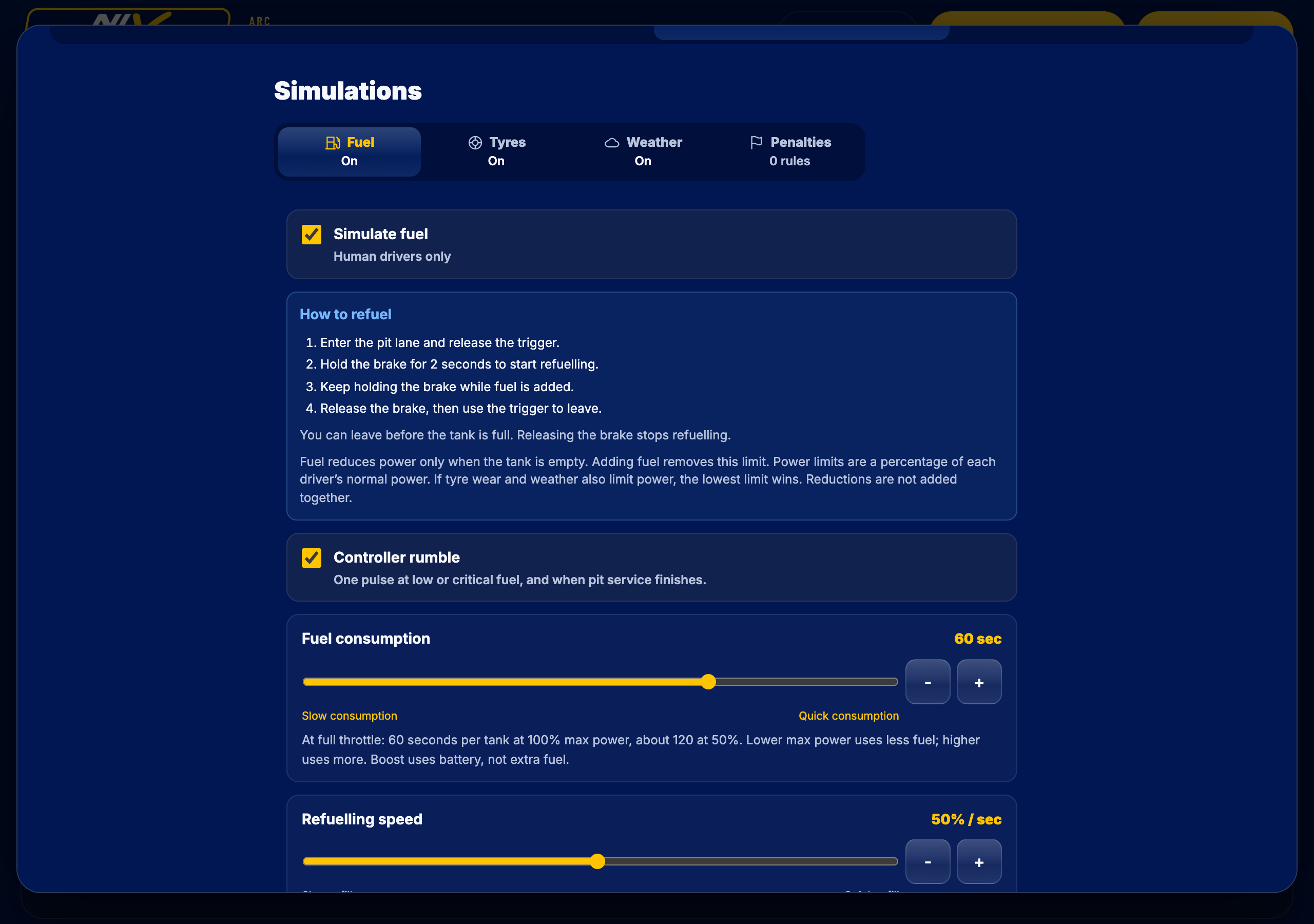
Keep it simple or add Fuel, Tyres and Weather. Fine-tune each simulation here; set each driver’s Boost in the Grid tab. The fuel settings below include consumption and controller-rumble warnings.
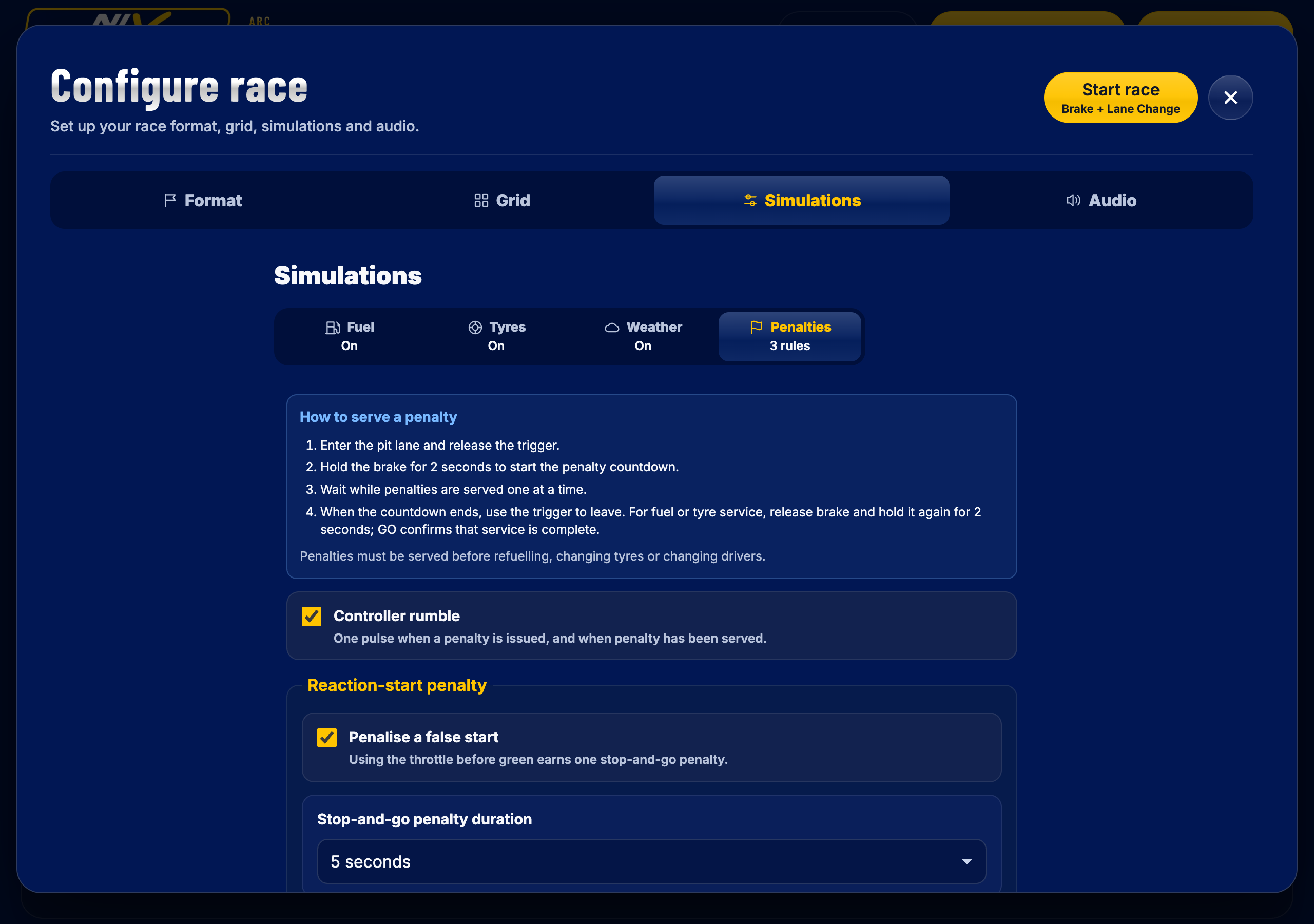
Under Simulations → Penalties, enable the rules you want and choose a five- or ten-second stop-and-go. Set how many laps drivers have to serve it and whether an unserved penalty adds time or leads to disqualification. Penalties are off in Time trial.
Before you start
Race Control is developed and hardware-tested with the Scalextric ARC Pro Digital powerbase. ARC Air, ARC One and USB timing systems are not currently supported.
Use a device with Bluetooth enabled and grant the browser permission to connect. Hardware testing includes ARC Pro with Chrome/Chromium on Mac and with Bluefy.
Use Chrome or Edge on Windows or Mac, or Chrome on Android or a Chromebook. Safari and Firefox do not support the Web Bluetooth connection this app requires.
On iPhone or iPad, install Bluefy – Web BLE Browser from the Apple App Store and open Race Control inside it. Race Control has been hardware-tested with ARC Pro in Bluefy.
From setup to the start line
Turn on your ARC Pro powerbase, enable Bluetooth and open the app in a supported browser.
Select Connect ARC and choose your powerbase. Open Configure race to select the session format, drivers or teams, individual Boost amounts and any optional simulations or Penalties.
Start a race or Time trial. In Time trial, the first Start/Finish crossing starts timing; subsequent valid crossings complete laps.
Add Race Control to your device for quick access and a standalone window where supported. Use Install app in the app footer when offered, or your browser’s install command. After a complete online download, Race Control can reopen offline. Installation is optional and does not add Bluetooth support to an unsupported browser. On iPhone or iPad, use Race Control inside Bluefy for the ARC connection. See browser compatibility.
Questions, answered
No. NixScalextric ARC Race Control is an independent app. It is not affiliated with or endorsed by Hornby Hobbies Ltd. Scalextric is a registered trademark of Hornby Hobbies Ltd.
Yes, for ARC Pro Digital. NixScalextric ARC Race Control is independent software that runs in a browser with Web Bluetooth. It offers lap and timed races with optional Team Endurance, Time trial, race results and optional simulations. Its features and supported hardware differ from the official Scalextric ARC app; ARC Air and ARC One are not currently supported.
Enable Team Endurance for a lap or timed race, then enter a team name and two drivers for each car in Grid. Serve any outstanding penalties first, then release the throttle and hold lane change for two seconds to change drivers. The team keeps its laps and timing; results also show each driver’s contribution. Fuel, tyre and weather simulations and Boost remain available. Ghost cars are unavailable in Team Endurance.
Use Race Control in Chrome or Edge on a Bluetooth-capable Windows PC or Mac, and allow the browser to connect to your ARC Pro powerbase. The primary hardware-tested setup is a Mac with Chrome/Chromium and ARC Pro. No separate Race Control download is required.
You can use Race Control in a supported browser or install it as an app for a shortcut and a standalone window where supported. Use Install app in the footer when offered, or your browser’s install command. For iPhone or iPad, install Bluefy and open Race Control inside it; see the Bluefy guidance.
Yes, through Bluefy. Race Control has been hardware-tested with ARC Pro in Bluefy. Install Bluefy from the Apple App Store, open it and visit Race Control, then select Connect ARC. Safari and standard iPhone/iPad browsers do not provide this connection; open the site inside Bluefy rather than a Safari home-screen shortcut.
Lap and timed races use race positions and finishing order. Time trial is an open-ended session for human drivers, ranked by best valid lap. Race simulation settings are preserved when switching to Time trial.
Set Boost from 0% to 30% for each human driver in the Grid tab. Double-tap lane change to deploy it, then ease off the throttle, or brake briefly and release, to recharge the battery during driving. A full battery provides three seconds at full trigger. Set Boost to 0% to leave it off. Fuel, Tyres and Weather are optional race simulations; Boost is configured per driver.
Enter the pit lane, release the trigger and hold the brake for two seconds. Wait for the penalty countdown to finish; multiple penalties are served one at a time. If you also need fuel, tyres or a Team Endurance driver change, complete that after the penalties. Otherwise, use the trigger to rejoin the race. The leaderboard guides you through the remaining steps.
The current session continues while an update downloads. The update banner appears in setup or after a session. Applying an update requires ARC to be disconnected and race control to be idle, with explicit confirmation before the app reloads.
Ready for the next lap?